The NextChapter Content Editor is an easy-to-use drag-and-drop module that allows you to create fully customized landing pages that match your brand identity. It gives you complete freedom to design pages using text, images, videos, and a wide variety of layouts.
Just like your webshop, all pages are automatically optimized to be fully responsive.
Your webshop's branding is already integrated into the Content Editor, ensuring a consistent look and feel throughout your entire webshop.
The Content Editor is currently available for:
- Landingspages
- Categorypages (type content)
- Brand pages (type content)
- Blogs
Creating a page
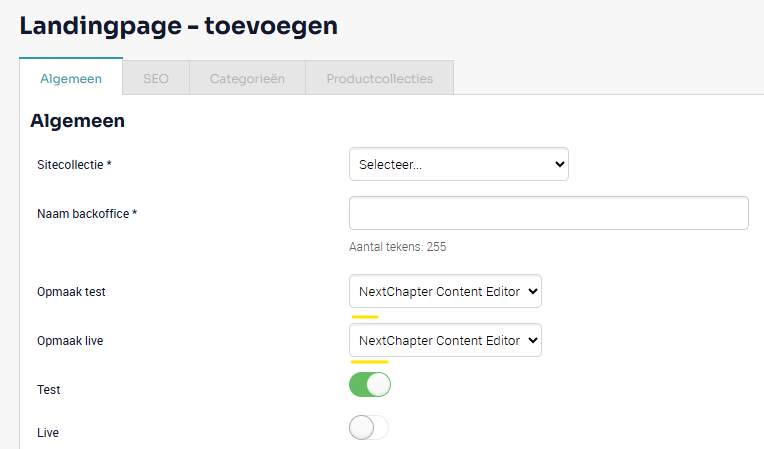
1. For example, go to SEO > Landing Pages and create a new page. You'll see that the Content Editor is used for editing the page.
2. Enter a name for the page and save it.
3. After saving, an Open button will appear. Click this button to manage the page in the Content Editor.
How the Editor Works
1. Navigation Placeholder
Every new page starts as a blank canvas that you can fully design using drag and drop.
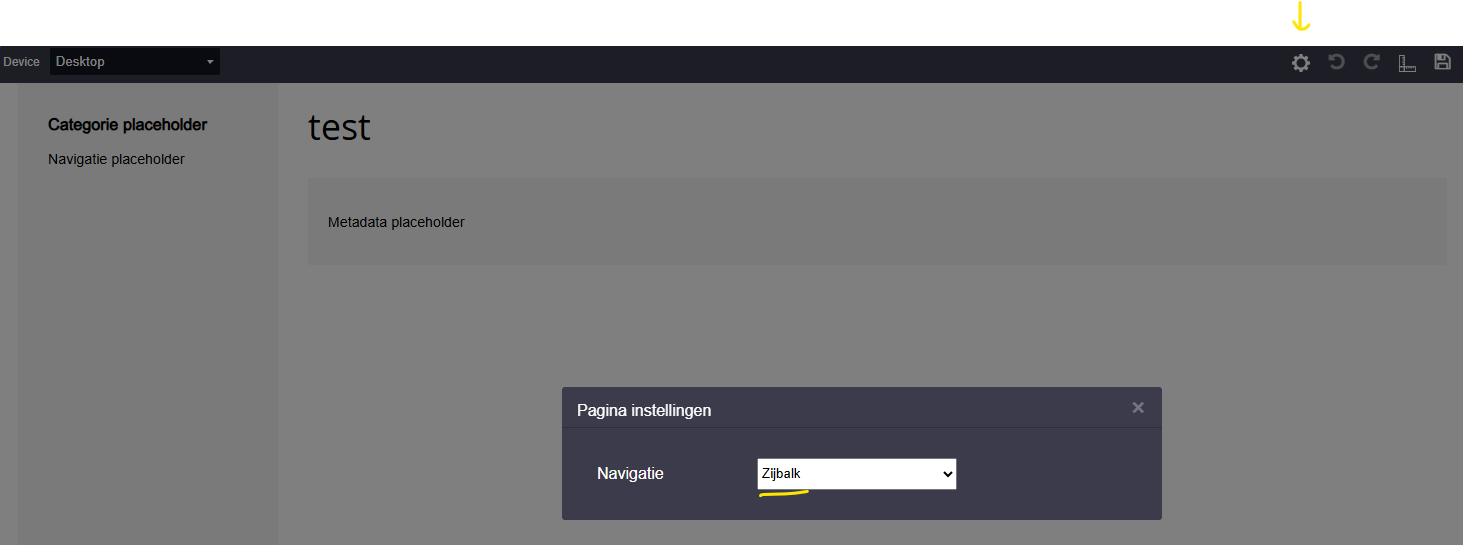
You'll always see a Navigation Placeholder. You don't need to configure this yourself. If the page contains navigation (such as subcategories), it will automatically be loaded into this position.
Using the Settings icon, you can choose whether the navigation is displayed as:
- A sidebar (on the left side of your webshop), or
- A horizontal menu (at the top of the page).
This allows you to match the navigation to the design of your webshop.
2. The Right-Hand Menu
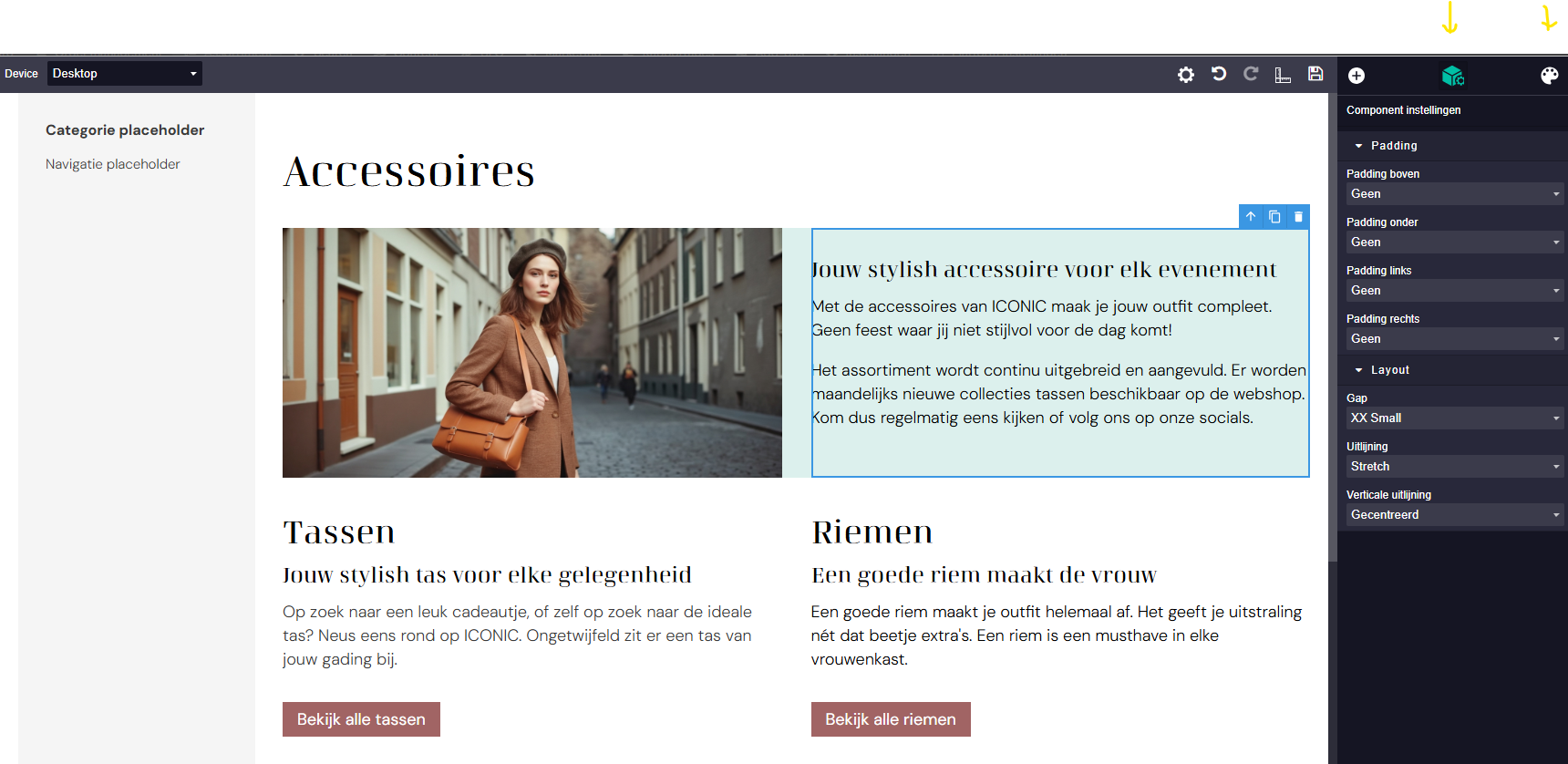
The menu on the right contains three sections:
- Layout starters. If you see a layout you like, simply drag it onto your page. You can immediately start editing the text and images.
- Kolommen: Want to create your own layout instead? First drag an empty column to the desired position.
- Componenten: Drag individual components into an empty column to build your own custom content blocks. sleep de gewenste componenten in de lege kolom en maak zo je eigen blok op.
3. Fine-Tuning Your Content Blocks
Once you've created your page and added your images, text, and videos, you can further customize each content block.
- Using the Block icon on the right, you can adjust the layout settings, including Heading levels (H1, H2, etc.), Padding and spacing around blocks, spacing within individual components
- Using the Brush icon, you can customize the styling even further.
For example you can choose button colors from your brand's primary, secondary, or tertiary color palette, change text colors and much more.
These options give you extensive control over the appearance of your page.
We can't cover every available option on this page, but the Content Editor makes all customization options easily accessible.
Other examples include:
- Images with rounded corners
- Background colors or background images
- Individual padding and margins for entire blocks or specific components
- Content alignment
- And much more
4. Multilingual Content
Does your webshop support multiple languages?
Use the language selector at the top of the editor to switch languages and enter content for each one.
Important: Select the text component you want to translate, open the block settings on the right, and enable Translate component.
By default, the first language you enter is displayed across all languages to prevent pages from appearing empty.
Once Translate component is enabled, you can gradually add unique content for each language at your own pace.

5. Responsive Design & Devices
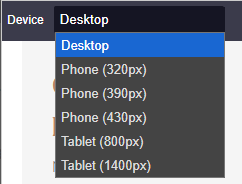
You can preview your page on different devices using the device selector.
There's no need to manually optimize your page for different screen sizes — NextChapter automatically makes every page responsive.
The device selector is intended solely for previewing how your page will appear on different devices.
Examples
https://echo.nextchapter.shop/en/about-echo/
https://iconic.nextchapter.shop/nl/dames/accessoires/
https://echo.nextchapter.shop/en/blog/article/headphones-your-personal-gateway-to-sound/
https://www.lookx.com/nl/word-lookx-huidexpert/
https://www.lookx.com/nl/lookx-signature-behandelingen/
Was dit artikel nuttig?
Dat is fantastisch!
Hartelijk dank voor uw beoordeling
Sorry dat we u niet konden helpen
Hartelijk dank voor uw beoordeling
Feedback verzonden
We stellen uw moeite op prijs en zullen proberen het artikel te verbeteren